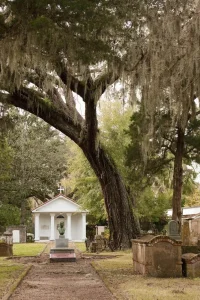
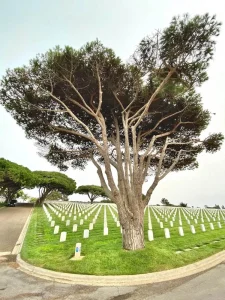
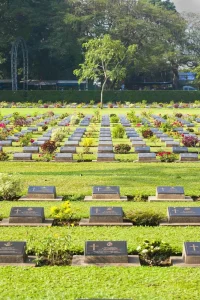
Photography carries more of a cemetery website than the words do. A family deciding where to bury someone looks at your images first and reads second. Stock photographs of an anonymous oak tree at sunset tell them nothing about your grounds.
Photograph your own cemetery
Start here and the rest becomes easier. Families want to see the place they are considering. Stock imagery signals that either you had nothing worth showing or nobody could be bothered walking outside with a camera.
A phone from the last four years produces images good enough for a website. Technique matters more than the equipment.

The shots every cemetery site needs
- The main entrance, framed as a driver approaches it, so visitors recognise the gate
- Each section, photographed from where a visitor enters it
- Paths and parking, which answers mobility questions without a word
- The chapel or shelter, inside and out
- Any water tap, bin or bench, small practical details that families notice
- The grounds in two seasons, so the site does not look frozen in July
- The people who work there, faces rather than an empty office
When to shoot
The hour after sunrise and the hour before sunset give you soft light and long shadows. Midday sun in summer flattens everything and blows out white headstones.
Overcast days work well for cemeteries. Even light, no harsh shadows across inscriptions, and a mood that suits the subject. Avoid rain on the lens and avoid photographing during a service.
What not to photograph
Restraint protects you from complaints you cannot undo once an image is indexed.
- Mourners. Never, including in the distance and including backs of heads.
- Recent graves. Fresh soil, temporary markers and unwilted flowers all mark a burial from the last months. That family did not agree to appear on your homepage.
- Legible names on modern headstones, unless the family has agreed. Historical graves are a different matter and often your best material.
- Neglected corners, overgrown sections and broken kerbs. Fix them, then photograph them.
- Open graves and machinery. Families do not want the mechanics of it.

Composition that works for cemetery grounds
Shoot from standing height, at the level a visitor sees. Drone shots look impressive and orient nobody.
Include a path, a gate or a row of trees leading into the frame. Cemeteries photograph well when the image has somewhere for the eye to walk.
Leave room around the edges. Web layouts crop images to different shapes on phones and desktops, and a headstone touching the frame edge gets sliced in half on half the devices that load your page.
Prepare the files properly
Large photographs are the main reason cemetery websites load slowly, and slow sites lose visitors on rural mobile data.
- Resize to 2000 pixels wide before uploading
- Compress to under 300KB per image
- Save as WebP where your site supports it, JPEG otherwise
- Name the file descriptively, riverdale-cemetery-main-gate.jpg rather than IMG_4471.jpg
- Write alt text describing what the image shows, for screen readers and for search
Historical photographs are worth hunting for
Old images of the grounds, the original chapel or a funeral procession from 1930 give your site something no competitor can copy. Local libraries, historical societies and long standing families hold these. Check copyright and credit the source on the page.
A weekend project
Two mornings with a phone produces enough material for a full website. Walk the grounds at sunrise with a shot list, take five versions of everything, and delete ruthlessly at the kitchen table afterwards. Twenty strong images beat two hundred adequate ones.
Not sure which of your photographs carry the site?Send us what you have. Photography is included in every package if you would rather we shot it ourselves.